

Don’t have an account yet? Sign up at vexioncards.one.
Creating your account
New merchants sign up at vexioncards.one by choosing a plan and paying. You then create your login: enter your email, confirm it with a one-time verification code sent to your inbox (or continue with Google), and you are linked straight to the subscription you just paid for. Signing in later works the same way, minus the payment: enter your email, get a one-time verification code by email, enter it, and you are in. You can also Continue with Google, or, if you have set up a password or passkey in Your account, use that instead. The sign-in page shows the options that are switched on.Launch your loyalty card
When you open the app, Home shows a Launch your loyalty card checklist. It has four steps, and only the current step has buttons, so you always know what to do next.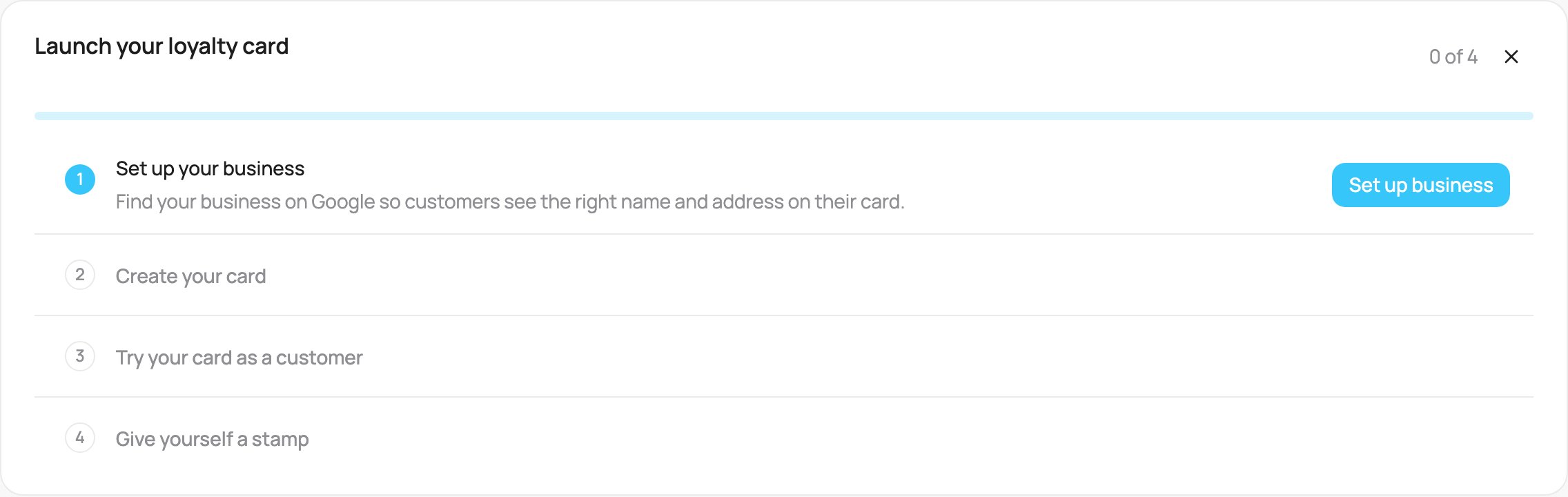
The Launch checklist on Home
- Set up your business. Find your business on Google, so customers see the right name and address on their card.
- Create your card. Design the loyalty card your customers add to their phone. It takes about 5 minutes on a computer.
- Try your card as a customer. Scan the QR code with your phone and add the card, exactly like your customers will. Then download the poster, print it and put it by the till.
- Use your card in the scanner. Find yourself in the scanner and add a stamp (or points, or a purchase, by card type). Your phone updates in a few seconds.
The checklist is for account admins. Accounts connected to a POS system do not see it.
Next steps
- Card types: pick the right loyalty mechanic.
- Sharing a card: every way to put your card in front of customers.
- Using the scanner: stamps, points and rewards at the till.
- Integrations: connect your POS or online store so transactions record automatically.
- Team and roles and Locations: add staff and more stores.
- Notifications: reach customers with push messages.