

Manual
Write a one-off message and send it now, or schedule it for later. Great for promotions, events, and announcements.
Automatic
Set up messages that send themselves on the right occasion: a review request, a win-back reminder, a birthday, a name day.
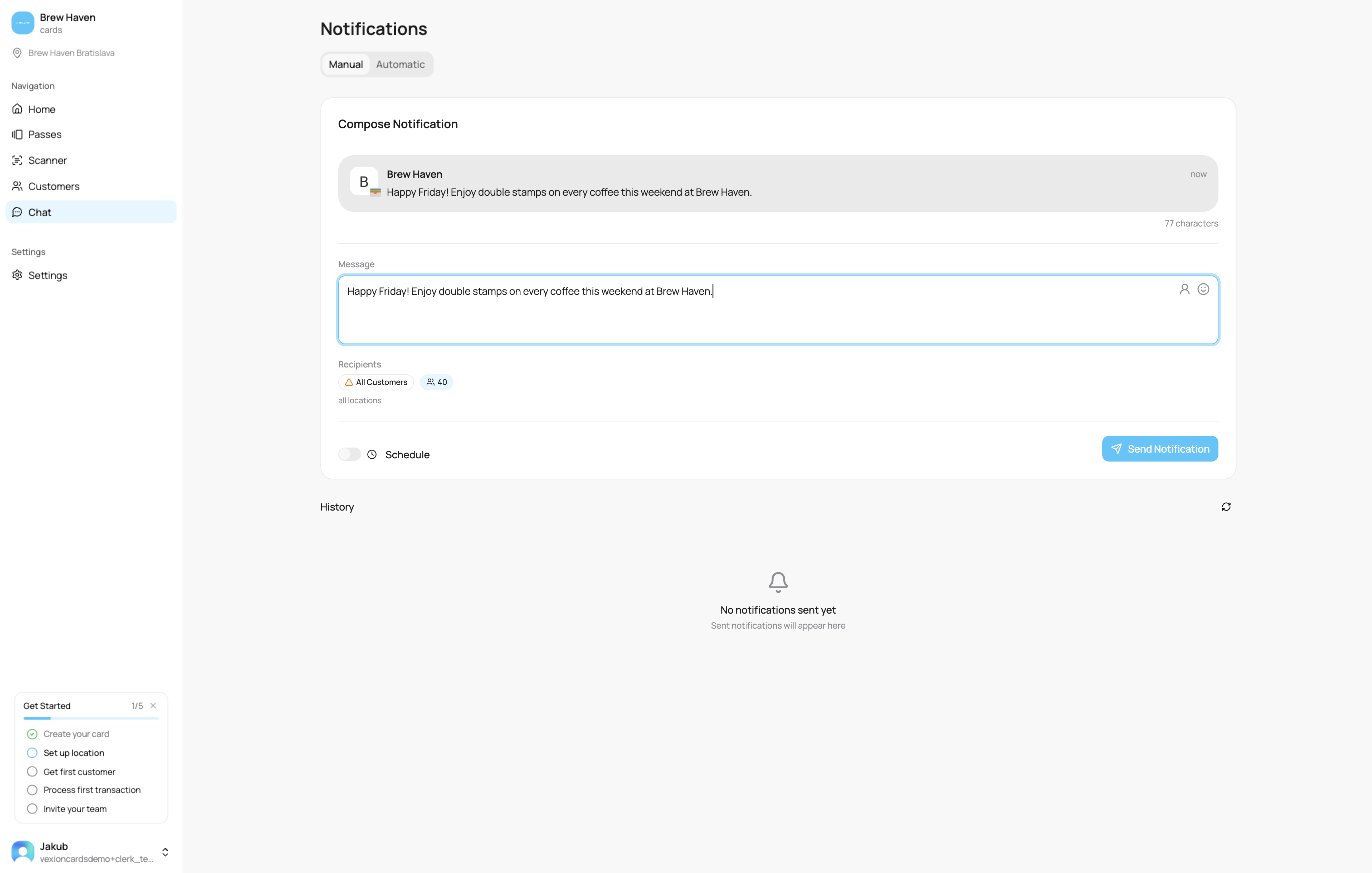
The Notifications screen
Three ways to send
You can reach the same composer from three places, depending on who you want to message:- Everyone (the Chat page): send to all customers across all your cards. This is the Manual tab described above.
- One card’s holders: from Passes, open a card and use its Push tab. See Sending a Push to a Card.
- A single customer: from a customer’s profile, use the Notifications tab.
What you can do
- Write a message with a live phone preview, personalise it with the customer’s first name, and add emoji.
- Send now or schedule it for a future date and time.
- Let the automations handle recurring moments for you.
- Track delivery and see a full history of everything sent, per platform. See Delivery & history.
Only customers who installed the card (Apple Wallet, Google Wallet or the web card) and have not turned Marketing messages off can receive a push. Someone who was sent a card but never added it will not get notifications until they do. Card updates after a purchase are always sent.