

Who receives a notification
A push can only reach a customer who has installed the card (in a wallet or as a web card). Notifications are delivered across three channels, depending on the customer’s device:- Apple Wallet (iPhone).
- Google Wallet (Android).
- Web card (browser) pushes, shown as FCM in the By Platform list.
The history list
Each row shows:
Two actions sit on each row: a stats icon (the delivery breakdown below) and a delete icon to remove it from history. A refresh button at the top reloads the list, and a just-sent message updates live as it delivers.
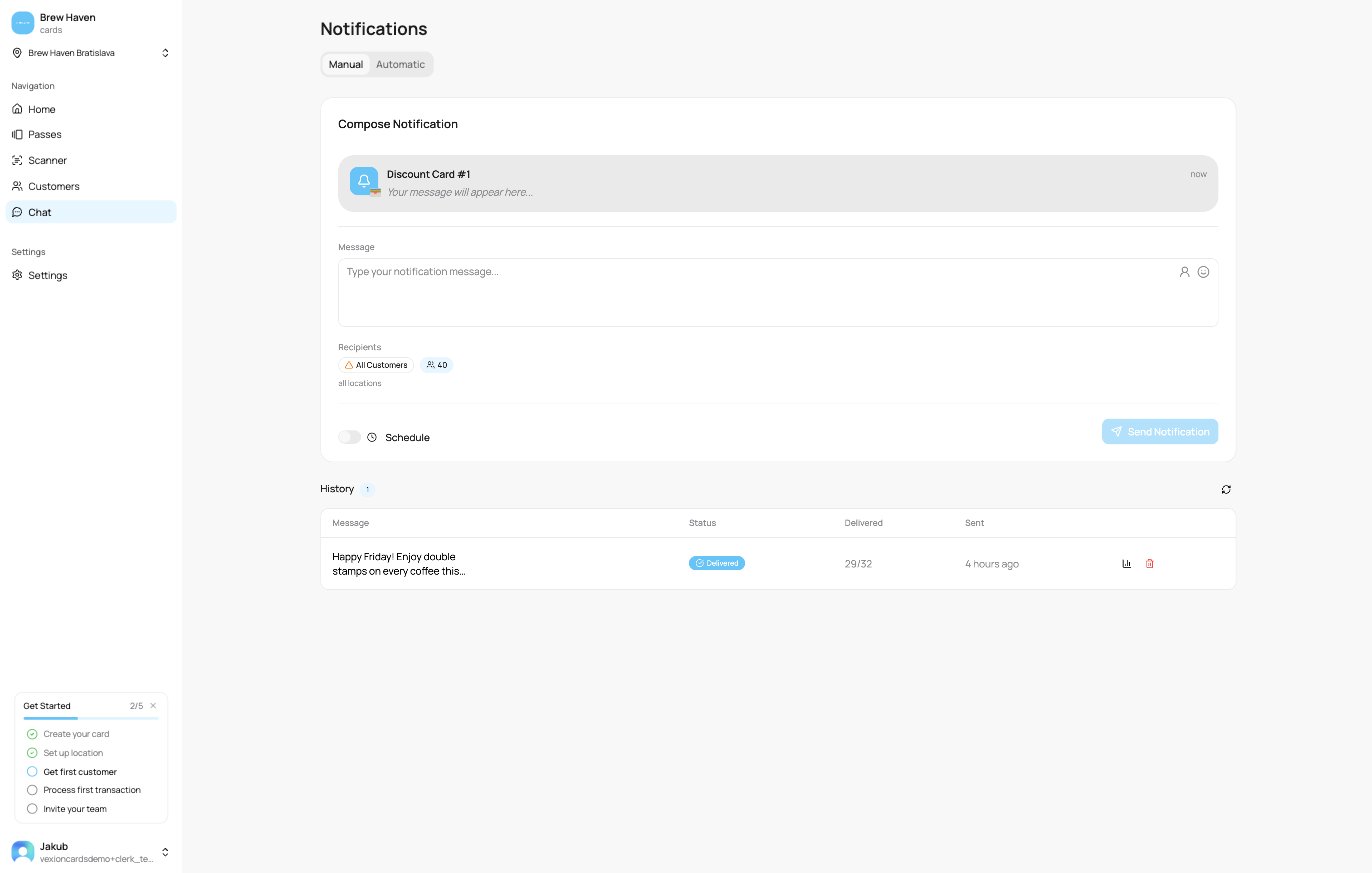
Notification history
Delivery statistics
Open a notification’s stats to see exactly how it went out. The Overall row counts:- Total: how many customers it targeted.
- Delivered: successfully reached.
- Sent: handed to Apple’s servers (Apple Wallet only, an in-between step before Delivered).
- Queued: still waiting to go out.
- Failed: could not be delivered (for example the customer removed the card).
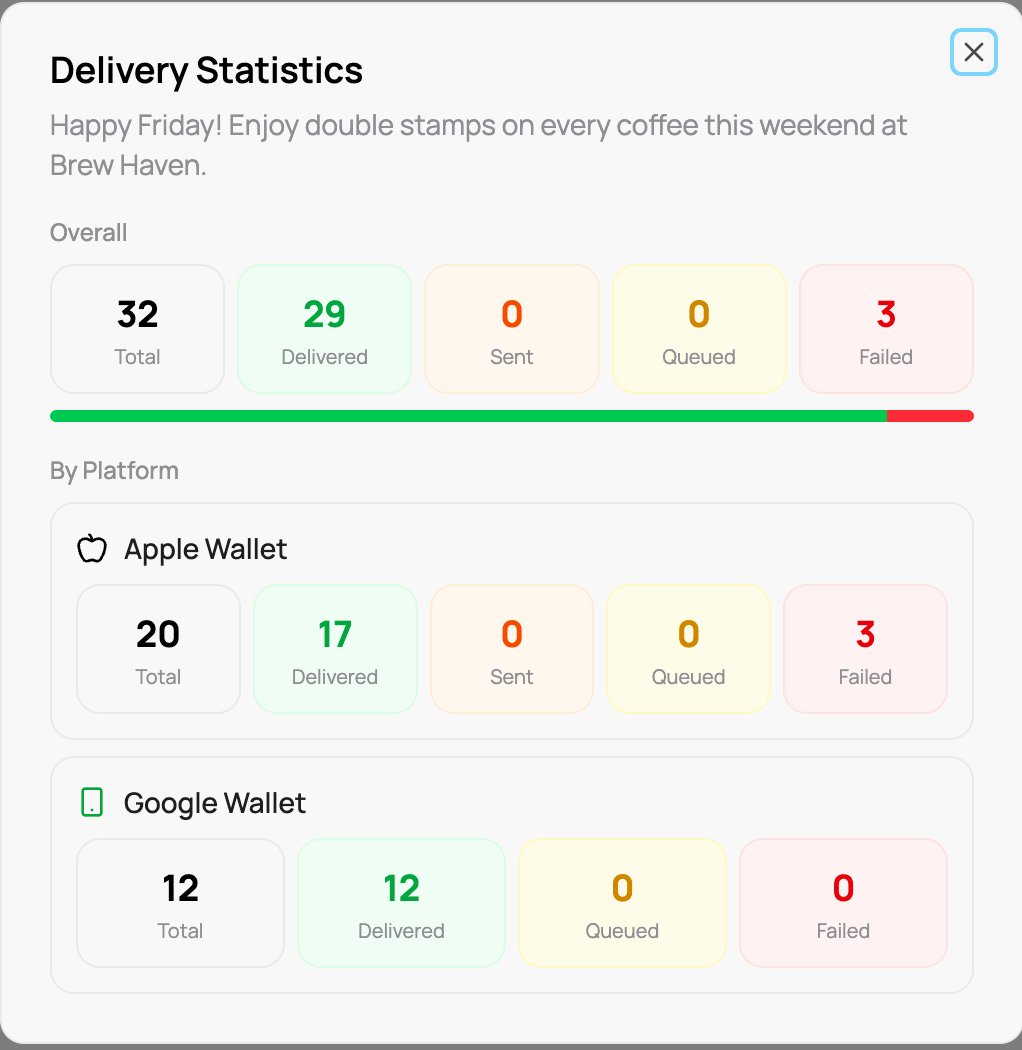
Delivery statistics for one notification
A few Failed deliveries are normal, they are usually customers who deleted the pass from their wallet. A high failure rate on one platform is worth a closer look.