

Switch it on
1
Open the card
Go to Passes, open the card and click Edit Card. You are on the Settings tab.
2
Turn on Level retention
Under the levels (below Add tier), switch on Level retention.
3
Set the days
The Demotion period field appears. Enter the number of days without a transaction before a customer drops one level (1 to 1095, for example 365).
4
Save
Click Save.
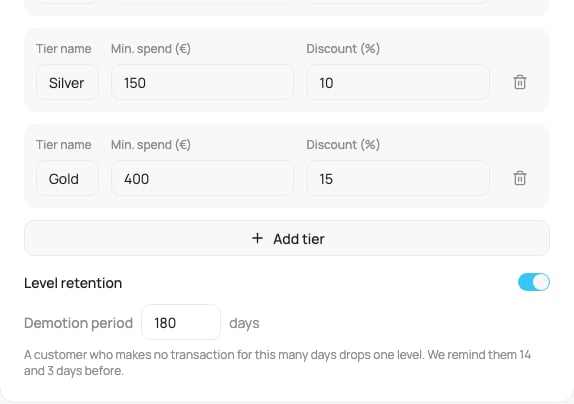
Level retention in the card settings
You can also set it when you create the card.
Discount cards connected to Booqme or Bookio keep their levels. Level retention does not apply to them.
How it works for your customers
- Every transaction on the card keeps the level and starts the days again.
- Without a transaction for the set number of days, the customer drops one level. A Gold customer becomes Silver, never straight to the lowest level.
- Points and the total spent never change. Only the level changes.
- On the lowest level there is nothing to lose, so nothing happens.
What your customers see
Reminders
VEXiON cards reminds the customer 14 days and 3 days before the drop. You do not set anything for this.
With a short period only the 3-day reminder is sent (periods under 28 days). Periods under 6 days send no reminder.
After a drop
The customer gets one message with the new level and what they need to spend to get the old level back.
In Slovak: “Vaša úroveň je teraz Silver (10%). Do Gold vám chýba 500 €.”
On a cashback card with levels the level shows its cashback percentage (for example 3 %), as on the front and back of the card.
Customers who turned off marketing messages get no reminder and no drop message. Their card still updates to the new level.
Level up
When a purchase moves a customer up a level, the purchase notification on iPhone shows it, for example ”🎉 Purchase €25.00 • New level: 15% off • Total spend: €1,000” (discount card) or ”🎉 New level: 5 % on every purchase • +€1.67 • Credit: €5.01” (cashback card with levels). On Android the card updates to the new level without an extra notice.On the card
The back of the card shows Level valid until with a date, for example “15/04/2027” (in Slovak “Úroveň platí do 15. 4. 2027”). A purchase any time on that day keeps the level. The row is not shown on the lowest level.In the customer’s profile
The customer opens their profile from the card (View profile on the back). The Levels tab shows their level and what is missing to the next one. In the last 14 days before the drop it also shows a warning, for example “Your tier will be lowered to Silver in 3 days.” On the lowest level there is no warning.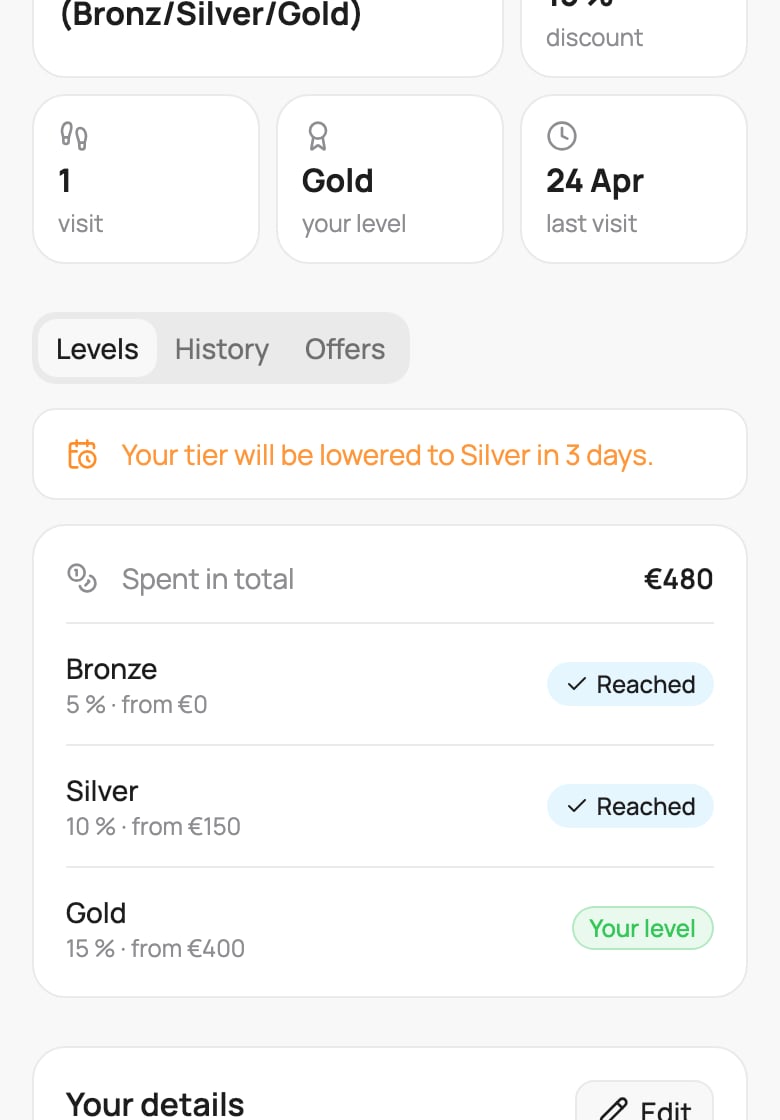
The Levels tab in the customer's profile
What you see in the dashboard
Open the customer in Customers. On the Overview tab, the top tile shows the level with its benefit, for example “Gold · 15%”. The Lifetime Analytics panel shows To Next Tier and Level valid until with the date.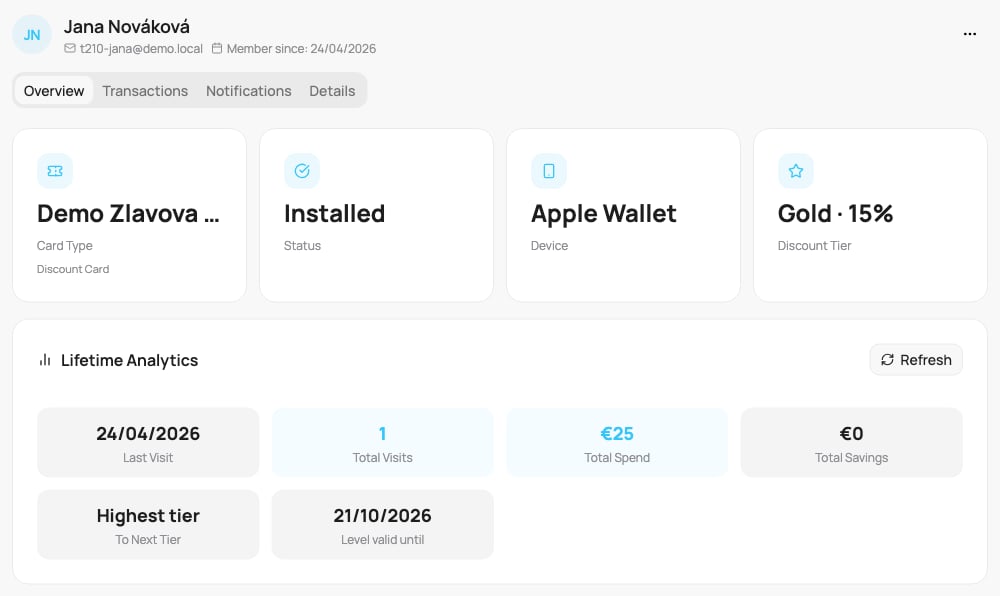
Level retention on the customer profile
Change or switch off
- Change the number of days: every customer gets a fresh full period from the moment you save.
- Switch it off: switching it off stops further drops. Customers keep their current level.
- Levels of a cashback card switched off and on again: every customer gets a fresh full period from the moment you switch levels on. Nobody drops a level for the time levels were off.