

What you get
- Selling and topping up. One till item,
VEXiON GIFTCARD, sells a new card and tops up an old one. The quantity carries the amount. - Physical cards. A pre-printed card is activated and funded at the till, in one bill, without touching the dashboard.
- Spending. The customer scans their card on an ordinary bill and the balance pays for it, up to the coverage limit you set.
- Online purchases and order forms. A customer who bought online and chose to pay at the counter arrives with a code. The cashier collects the money and the card is created moments later, at the counter.
Before you start
Four things have to be true before a gift card does anything at the till.- Papaya is connected to VEXiON. See Connecting and setup.
- A gift card exists in VEXiON. Create one under Gift Card. To sell pre-printed cards over the counter you also need a batch of physical gift cards, and to complete
GC-order codes at the till the card needs online sales turned on. - Enable Gift Cards is on in the Papaya panel of the VEXiON dashboard.
- The
VEXiON GIFTCARDitem exists on the till and VEXiON can see it on the synced menu. That is Step 1 and Step 2 below.
Step 1: create the till item in the Papaya web administration
The item can only be created in the Papaya web administration. Menu editing is switched off on the tablet.Open the item list
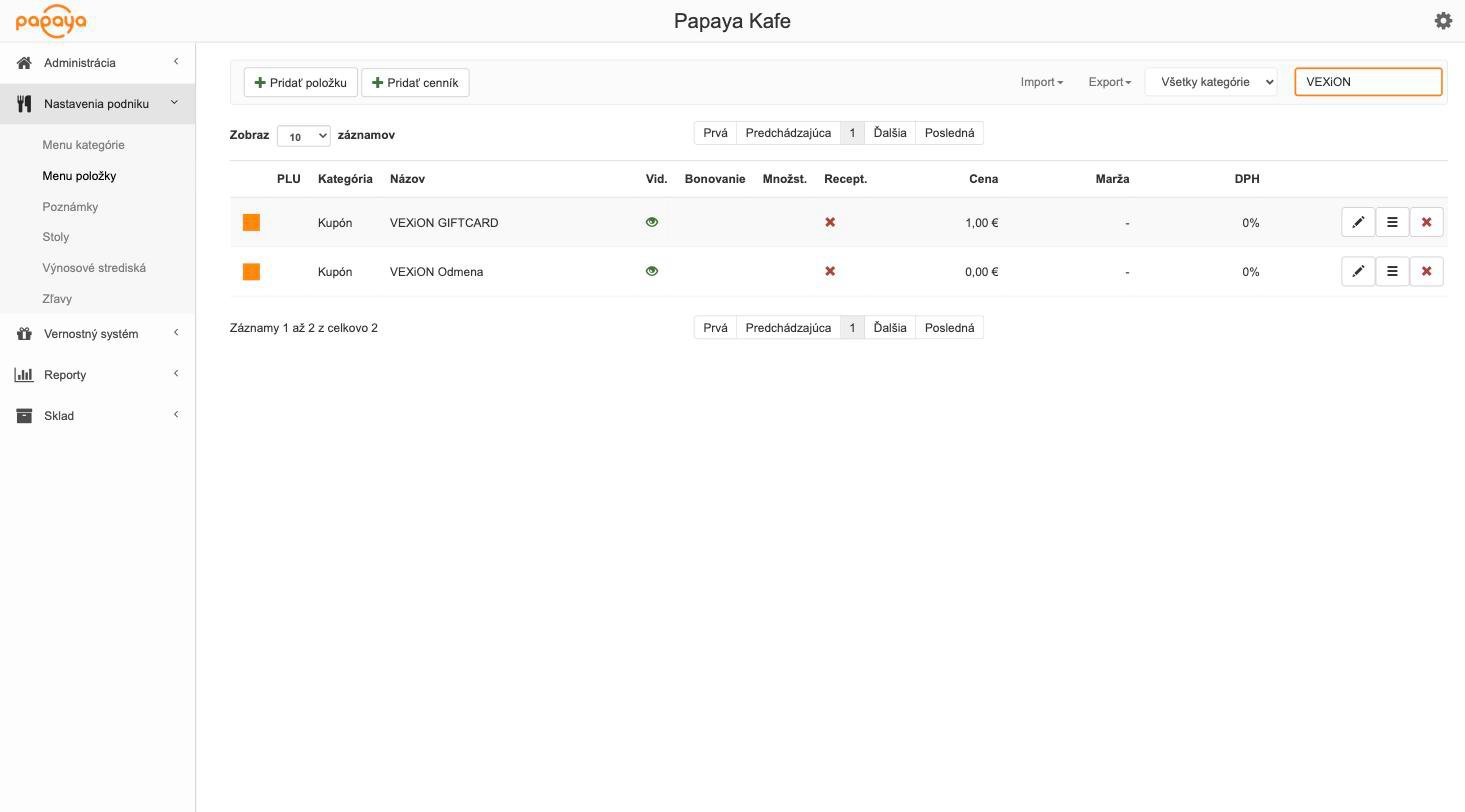
The item list, filtered to the VEXiON items
Add a new item
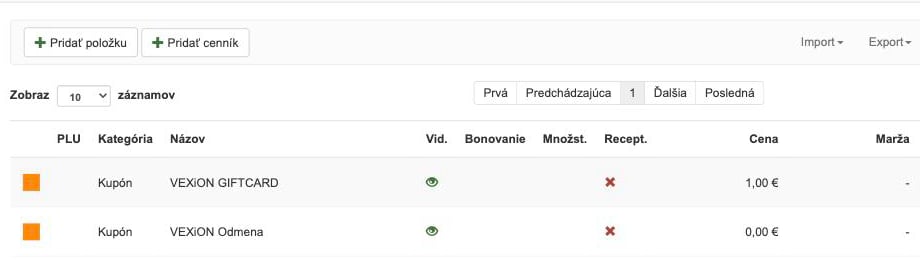
The add item button
Fill in the item
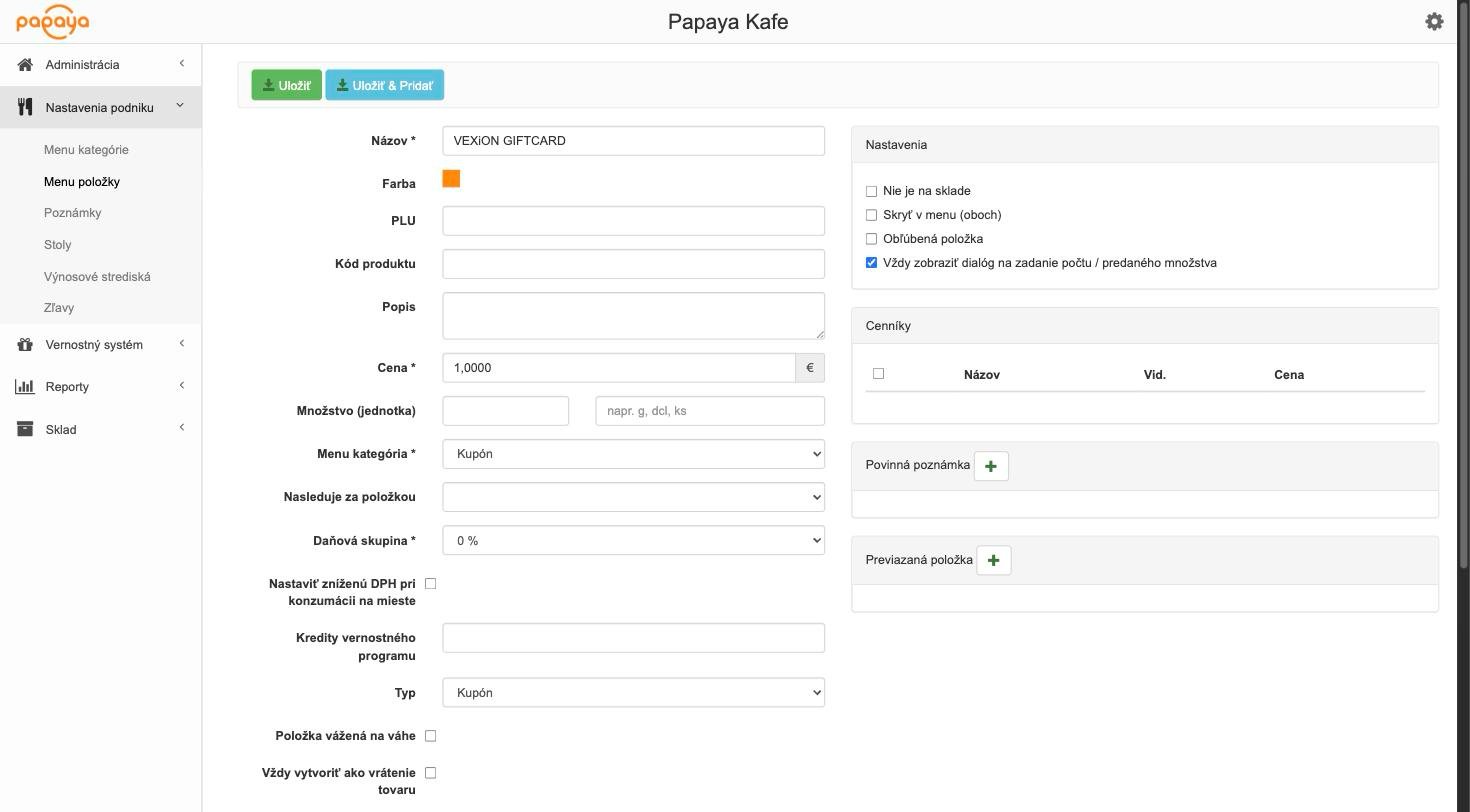
The full item form, filled in
Choose the category and the item type
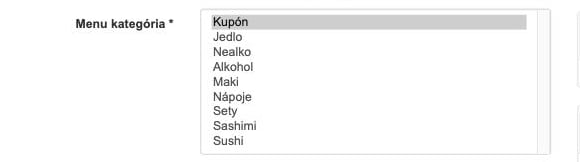
The options available in the Menu kategória field

The options available in the Typ field
Turn the count dialog on

The count dialog setting in the Nastavenia panel
Step 2: sync the menu
The item now exists in the Papaya administration. Two separate imports have to happen before it can be used.Sync the menu into VEXiON
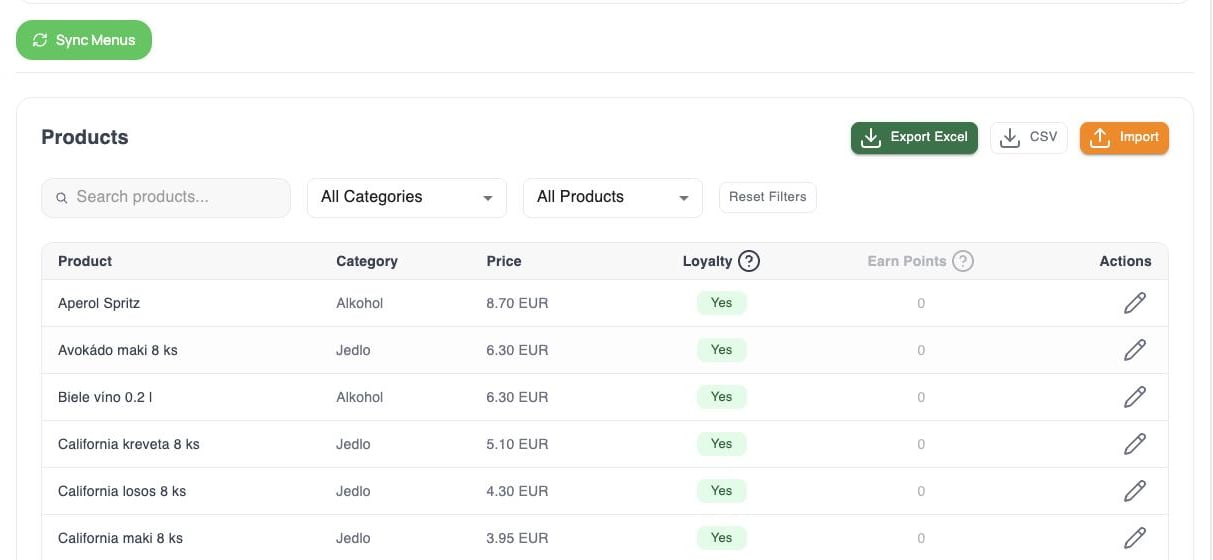
The Sync Menus button in the Papaya integration, above the synced product list
Import the menu on the till
Step 3: settings in the VEXiON dashboard
Open the Papaya integration in the VEXiON dashboard and turn Enable Gift Cards on. The Gift Card Settings block appears under it.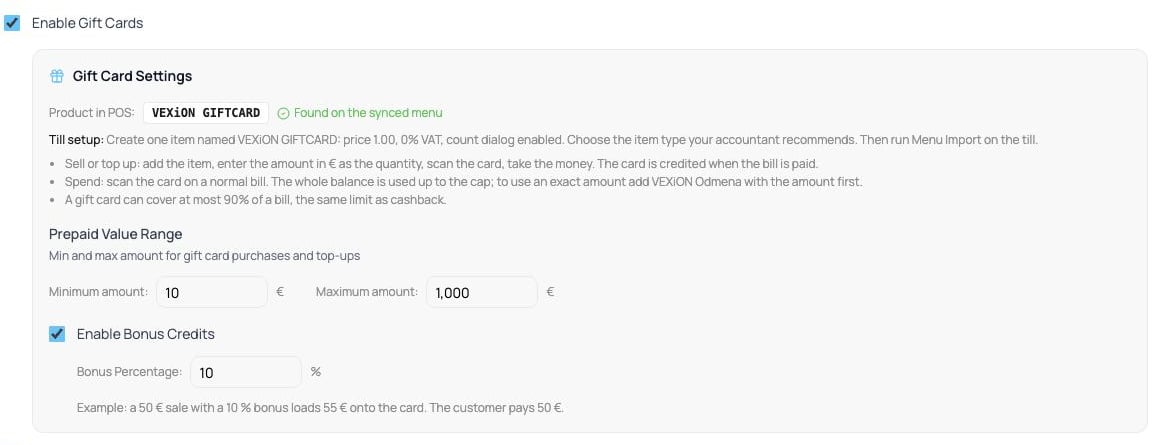
Gift Card Settings in the VEXiON dashboard, with the item found on the synced menu
At the till
Every gift card operation starts the same way as any other VEXiON scan: open DISCOUNT/SURCHARGE (ZĽAVA/PRIRÁŽKA) at the top right, and scan there. See Working at the till for the basics.Selling a new physical card
Add VEXiON GIFTCARD to the bill
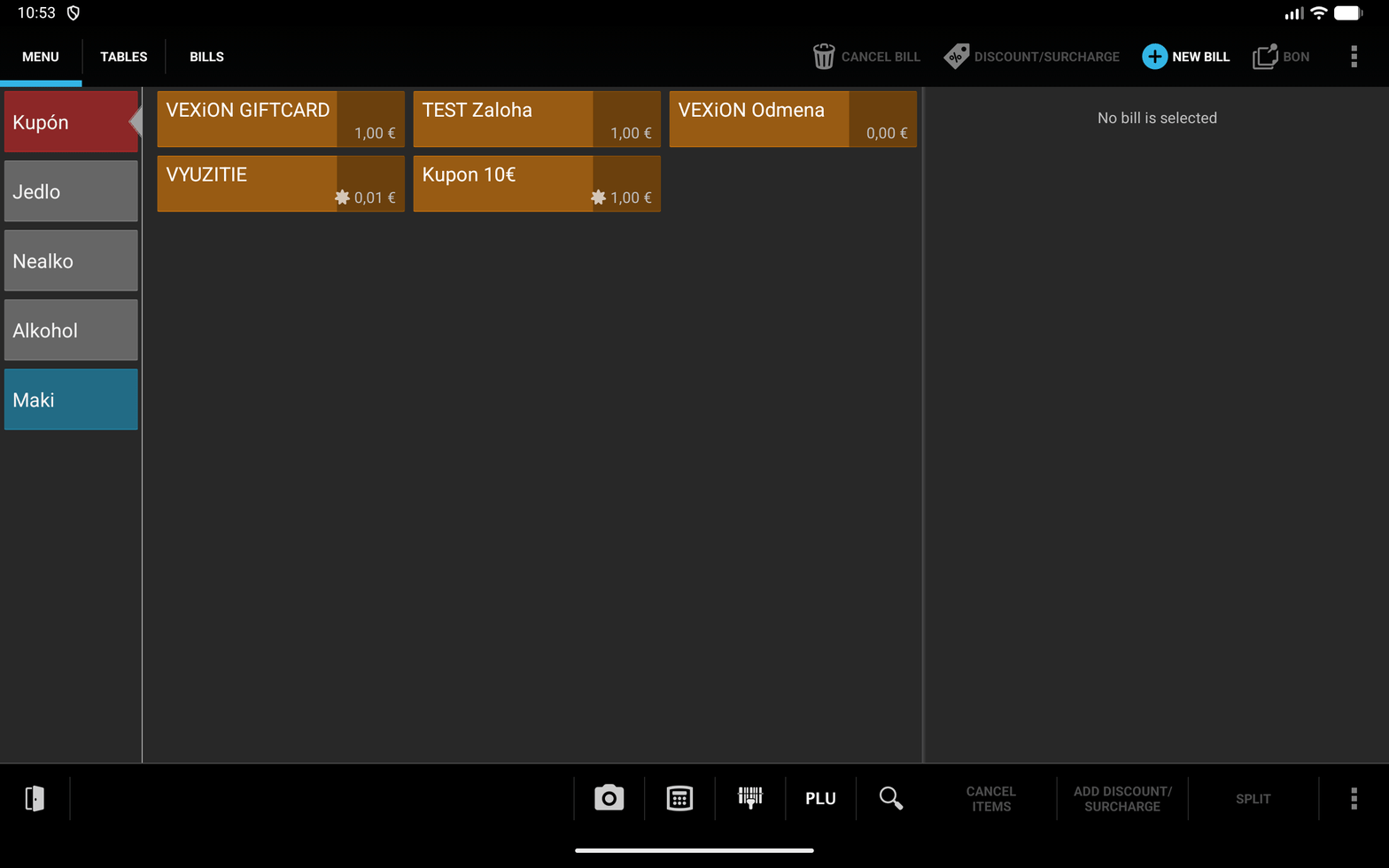
The VEXiON GIFTCARD tile on the till
Type the amount as the quantity
30. Leave Refund item unticked.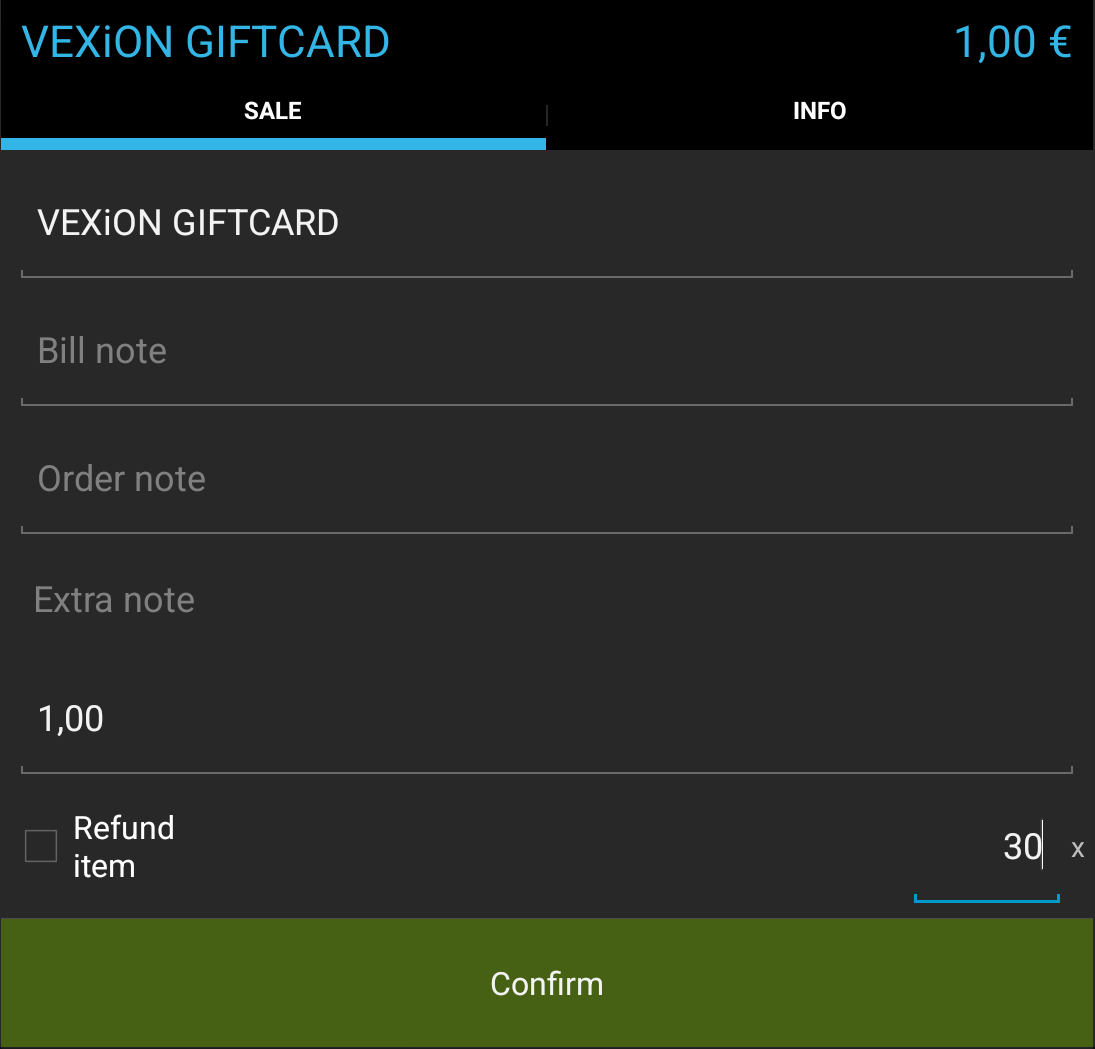
The count dialog on the gift card item
Check the bill line
VEXiON GIFTCARD 30 x 1,00 € = 30,00 €, a positive line.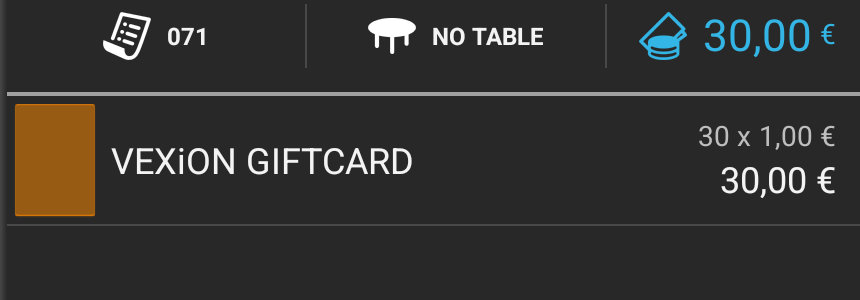
The gift card sale line on the bill
Scan the QR code on the physical card
Darčeková karta 30,00€ + bonus 3,00€ sa aktivuje po zaplatení. No discount is added to the bill, which is correct.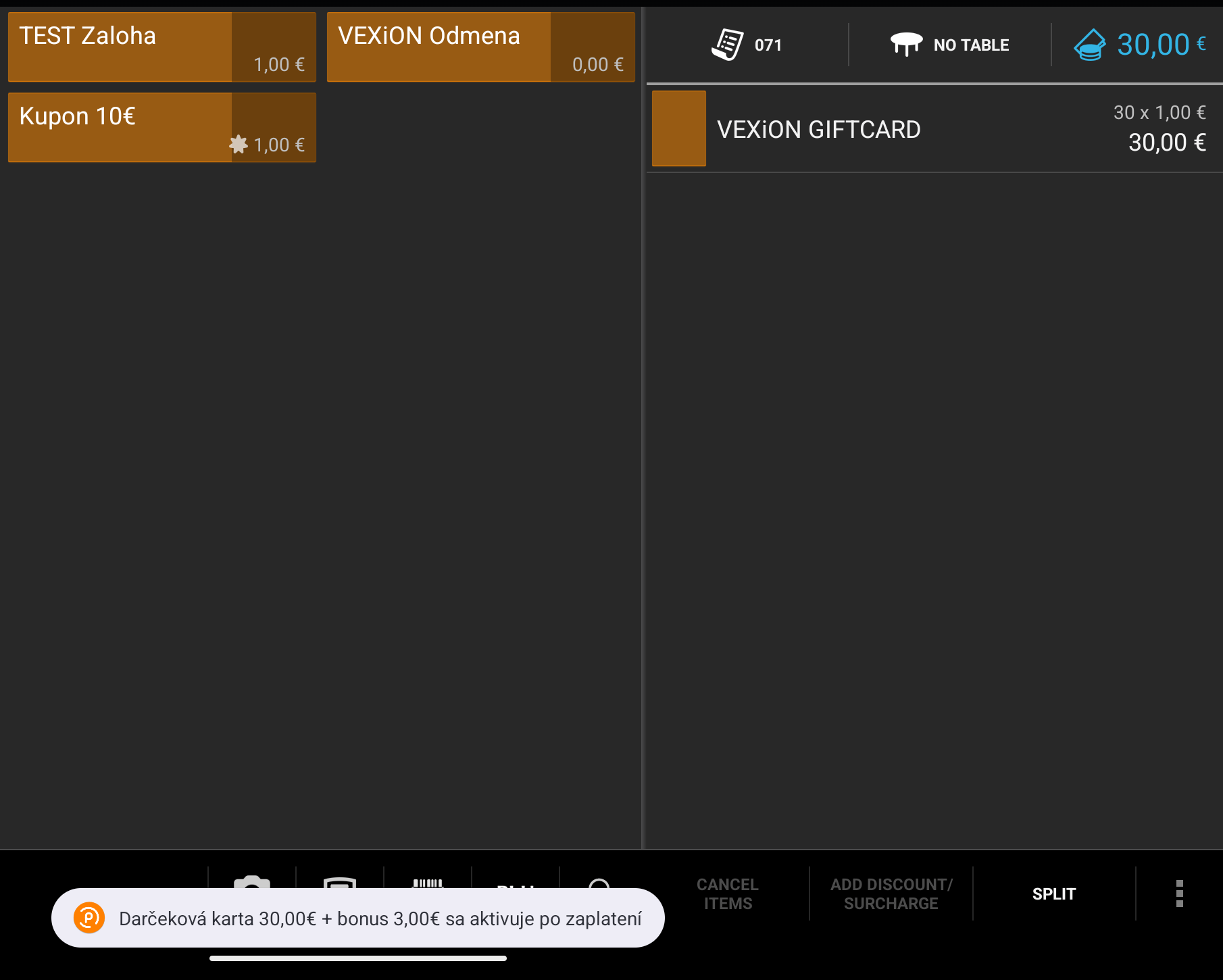
The message before payment when a new card is being sold
Take the money and close the bill
Topping up a card
Exactly the same steps as selling a new one. The only difference is that the card is already active, so the cashier scans the customer’s existing card. In the card’s Activity, a top up shows as Gift card topped up, not as a sale, and it sends you no sale email. Selling a new card shows as Gift card sold, and you get one sale email for it. The message names the top up and the balance, for exampleDobitie 15,00€ + bonus 1,50€ sa pripíše po zaplatení | Zostatok: 222,93€.
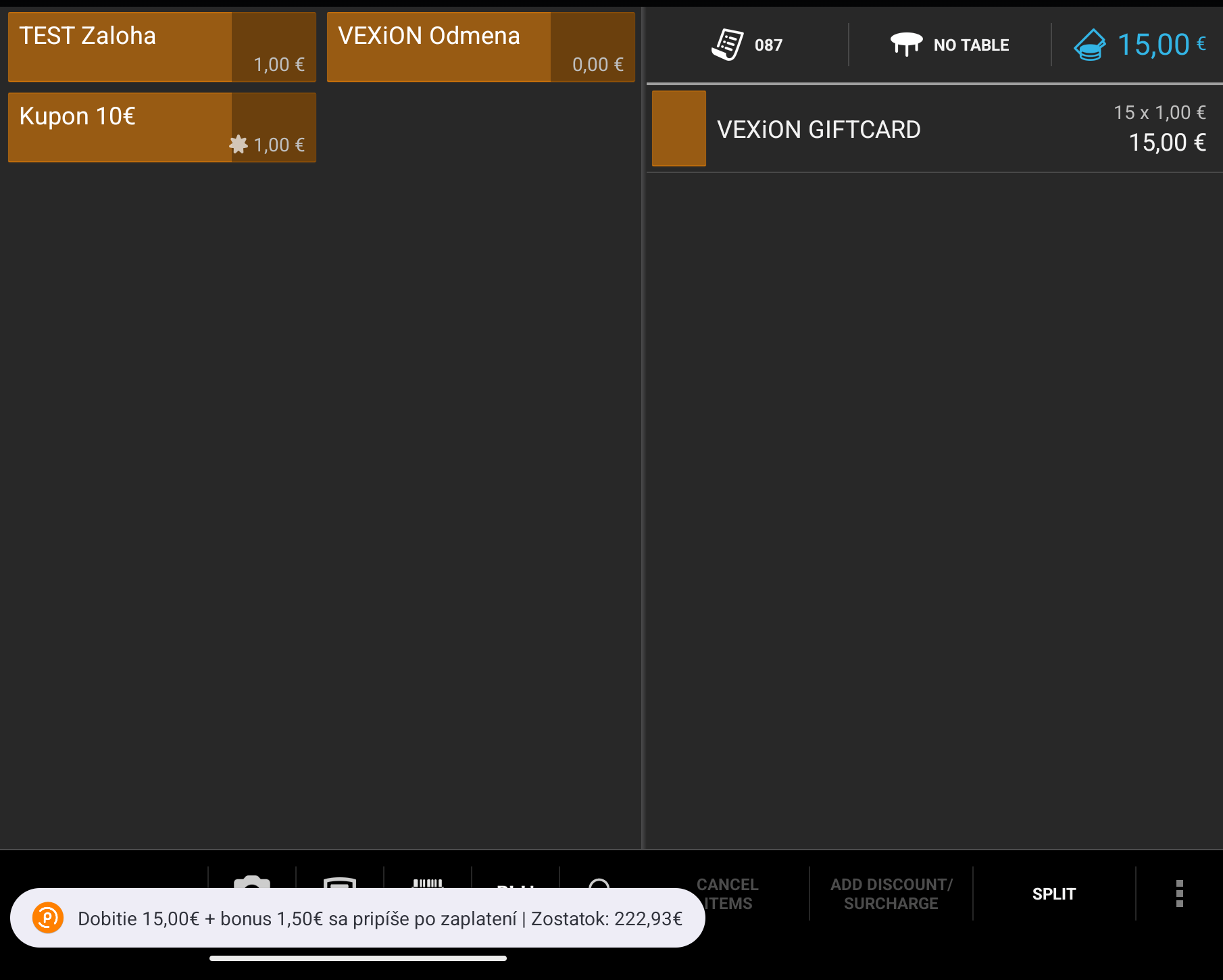
The message before payment when a card is being topped up
Zamestnaneckú kartu nie je možné dobíjať.Bills that mix goods with a card sale
If the bill carries theVEXiON GIFTCARD item, selling wins. No amount is ever taken off a card on that bill, even if the customer scans a card with money on it. The till reports the top up and offers no discount.
Ordinary goods on the same bill are fine. The till works the amount out from the VEXiON GIFTCARD line alone and ignores the rest of the bill, so a 50 € card sold next to a 7,90 € coffee sells for 50 € and funds the card normally. That was measured on real bills.
A tier discount is withheld on such a bill, and the till says why: Zľava sa na predaj darčekovej karty nevzťahuje, predajte ju na samostatnom účte. Papaya spreads a percentage discount across every line of a bill, so a 10 % tier would sell 50 € of credit for 45 €.
Paying with a gift card
Ring up the order
Scan the card
Read the message
VEXiON-GIFT line is added to the bill. The message names the amount used and what is left on the card, for example Darčeková karta -7,11€ | Zostatok: 2,89€.Take payment for the rest
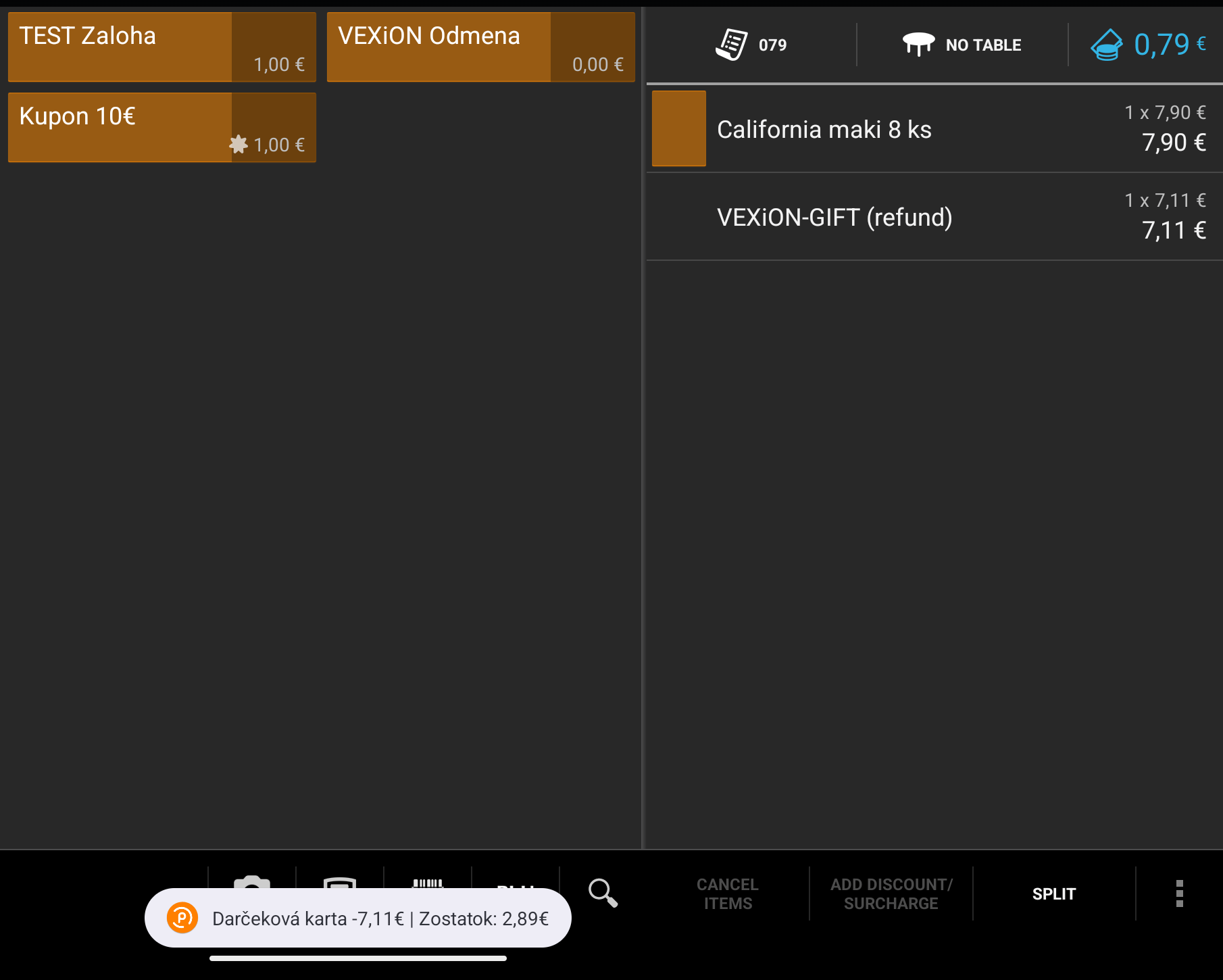
The message right after the card is scanned
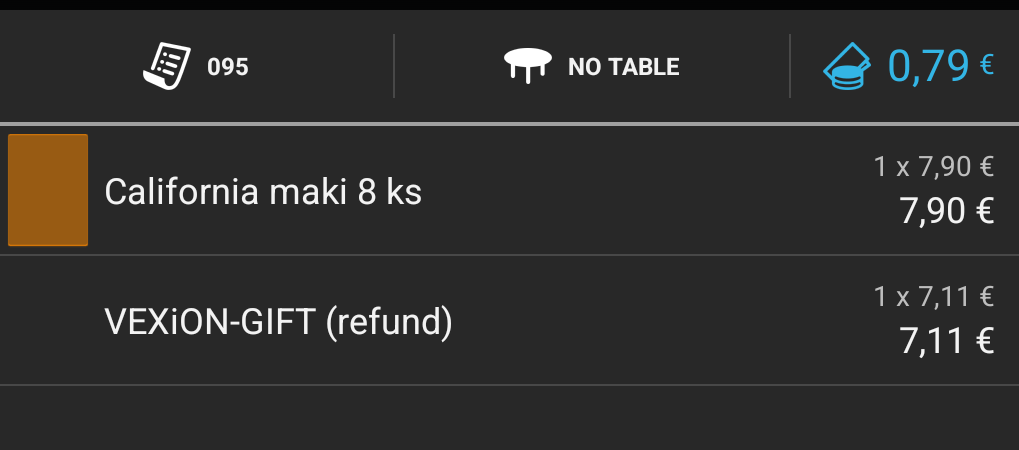
A closer look at the VEXiON-GIFT line, here on another bill with the same amounts
VEXiON-GIFT line before paying and nothing comes off the card. Afterwards the amount is not returned, because Papaya sends VEXiON nothing on a storno.
Darčeková karta -7,11€ už bola uplatnená. If the amount needs to change, delete the VEXiON-GIFT line and scan again, and the amount is worked out afresh.Paying an exact amount
If the customer wants to use only part of their balance, the amount is carried by theVEXiON Odmena item, exactly as it is for cashback.
Add VEXiON Odmena first, on an empty bill
Ring up the order
Scan the card
A customer with an order code
A customer who bought a gift card online or filled in your order form, and chose to pay at the counter, arrives with a QR code on their own screen instead of a card. That QR is the order code, and the code itself starts withGC- or gft. Nothing has been paid yet.
Add VEXiON GIFTCARD to the bill
50. Goods may share the bill, a Papaya discount may not, as the warning above explains.Scan the code
Read the message
Aktivácia darčekovej karty 50,00 € po zaplatení.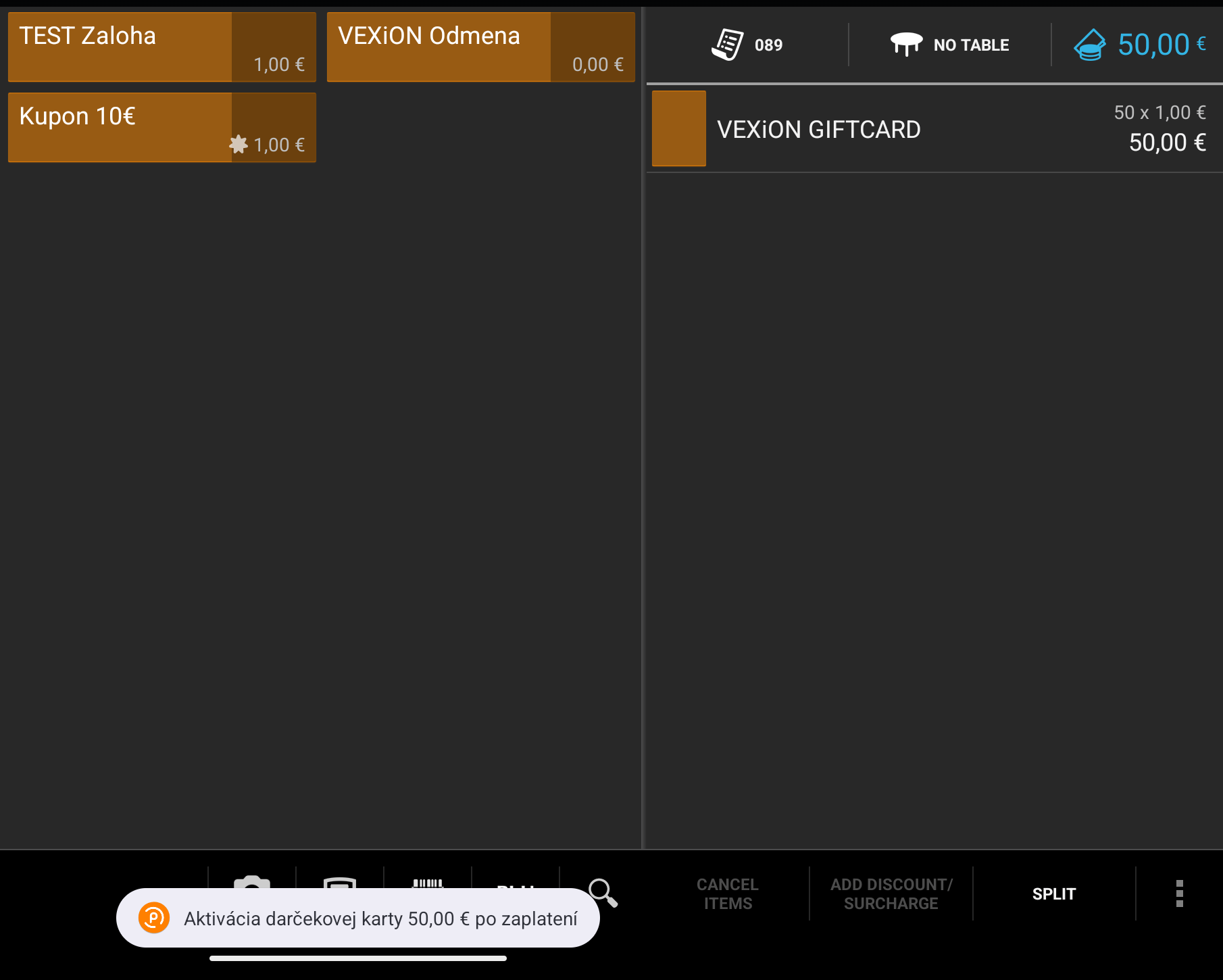
The message before payment when an order code is being completed
Take the money and close the bill
- The code lives on the customer’s screen, not in their inbox. No email goes out before payment. The QR they show you is the order code.
- A code is valid for about a day. If the customer no longer has it, they fill in your order form again and get a new QR.
- A code can be completed once. Once the bill closes, the code has become a gift card and a second attempt is refused.
Messages the till shows
Every message is in Slovak. Amounts in the table below are examples. Selling and topping upLimits and known gaps
- On an order code, changing the quantity after the scan creates nothing. The ordered amount is checked again when the bill closes, so a bill that no longer matches funds no card at all. Scan the code again after any change to the line, while the bill is still open.
- On a card sale or a top up, the line at closing time is what lands on the card. The amount comes from the sale line as the bill closes, so changing the quantity after the scan changes what the customer gets, and a quantity outside the range credits nothing. Scan again after any change, so that the message and the bill agree.
- A bill that closes for less than the gift card line loads nothing. If the line is cut, or a discount reprices it after the scan, so that the bill is settled for less than the card was to be worth, VEXiON refuses the credit rather than funding a card nobody paid for. Re-scanning that bill cannot rescue it either: VEXiON answers a re-scan by saying the card can no longer be activated or topped up on that bill. Complete the sale and give the customer the bill number to quote to VEXiON support, who settle it by hand.
- Scanning a card again after the bill funded it is not an error. VEXiON answers that the card was already credited, and nothing is loaded twice.
- Checking a balance needs a scan on a bill. There is no balance enquiry of its own. On a bill with goods on it, a scan pays with the card. To look without spending, scan and then delete the
VEXiON-GIFTline before payment. - Nothing is confirmed on screen at payment. The message only ever comes at the scan.
- Euros only. Balances are never converted. A bill in another currency shows the euro balance with that currency’s symbol next to it.
- One card, one bill. A card sale and a card payment cannot share a bill, and neither can two customers.
FAQ
Can I use an item I already sell instead of creating a new one?
Can I use an item I already sell instead of creating a new one?
The cashier typed the amount but nothing happened.
The cashier typed the amount but nothing happened.
The customer paid and the balance is still zero.
The customer paid and the balance is still zero.
Why is no discount added when we sell a card?
Why is no discount added when we sell a card?
VEXiON GIFTCARD item never pays with a card, even if the customer’s card is full. Sell on one bill and let the customer pay on another.Can we give a staff discount on a bill that sells a gift card?
Can we give a staff discount on a bill that sells a gift card?
A customer says they were charged the wrong amount.
A customer says they were charged the wrong amount.
VEXiON-GIFT line on the bill showed, never more. The limit is Max bill coverage in the dashboard, which is shared with cashback, so a small bill can take less off the card than the customer expected.The customer's code will not scan.
The customer's code will not scan.
We refunded a bill. What now?
We refunded a bill. What now?
Does the card work at our other shops?
Does the card work at our other shops?
How it works technically
For the merchant’s own IT or accountant. Nothing here needs to be done by hand.- VEXiON hears two things, and only two. Papaya calls VEXiON when a card is scanned on an open bill, and again when that bill is closed. Both calls happen only because of a scan. There is no other event, which is why every operation on this page begins with a scan.
- The bill closing is the only signal. Papaya sends no separate “paid” flag, so the second call itself is what tells VEXiON the till completed the bill, which can happen before the money is tendered. A payment with a card is deducted on that call. Funding a card is not, because Papaya still reports the bill as open when it makes that call, so VEXiON asks again until Papaya confirms that the bill is closed and loads the money only then. It asks again after 20 seconds, 1 minute, 5 minutes, 30 minutes, 2 hours and 6 hours, and then every hour, and stops 24 hours after the scan. A bill that is still open then is not funded.
- The redemption line. VEXiON returns one coupon at a zero VAT rate, named
VEXiON-GIFT, applied to the whole bill. Papaya prints it asVEXiON-GIFT (refund), and the bracketed word follows the till’s own language. Only one VEXiON coupon can be on a bill at a time. - The sale line. The card sale is the merchant’s own item at 0 % VAT, priced 1,00 with the amount as the quantity. VEXiON never creates or edits it.
- What VEXiON records for every sale, top up and completed code: a gift card transaction (the amount paid, the bonus, the total loaded) and the card’s new balance. Spending records a transaction and the deduction. Each transaction carries the till it came from, and the location when the till is mapped.
- VAT. The sale line goes out at 0 % and the redemption comes back as a zero-rated voucher line, so the redemption is always separately visible in the takings, apart from the goods. How that is booked is your accountant’s decision. VEXiON takes no position on it and this is not accounting advice.
Need help?
- Your manager can change every setting on this page in the VEXiON dashboard.
- VEXiON support: info@vexioncards.one, +421 948 777 490.
- Papaya support: for problems with the till itself or the web administration.