These panels appear on the Analytics tab of a Coupon, alongside the shared elements (time period, location, export, health score, heatmap, top customers).
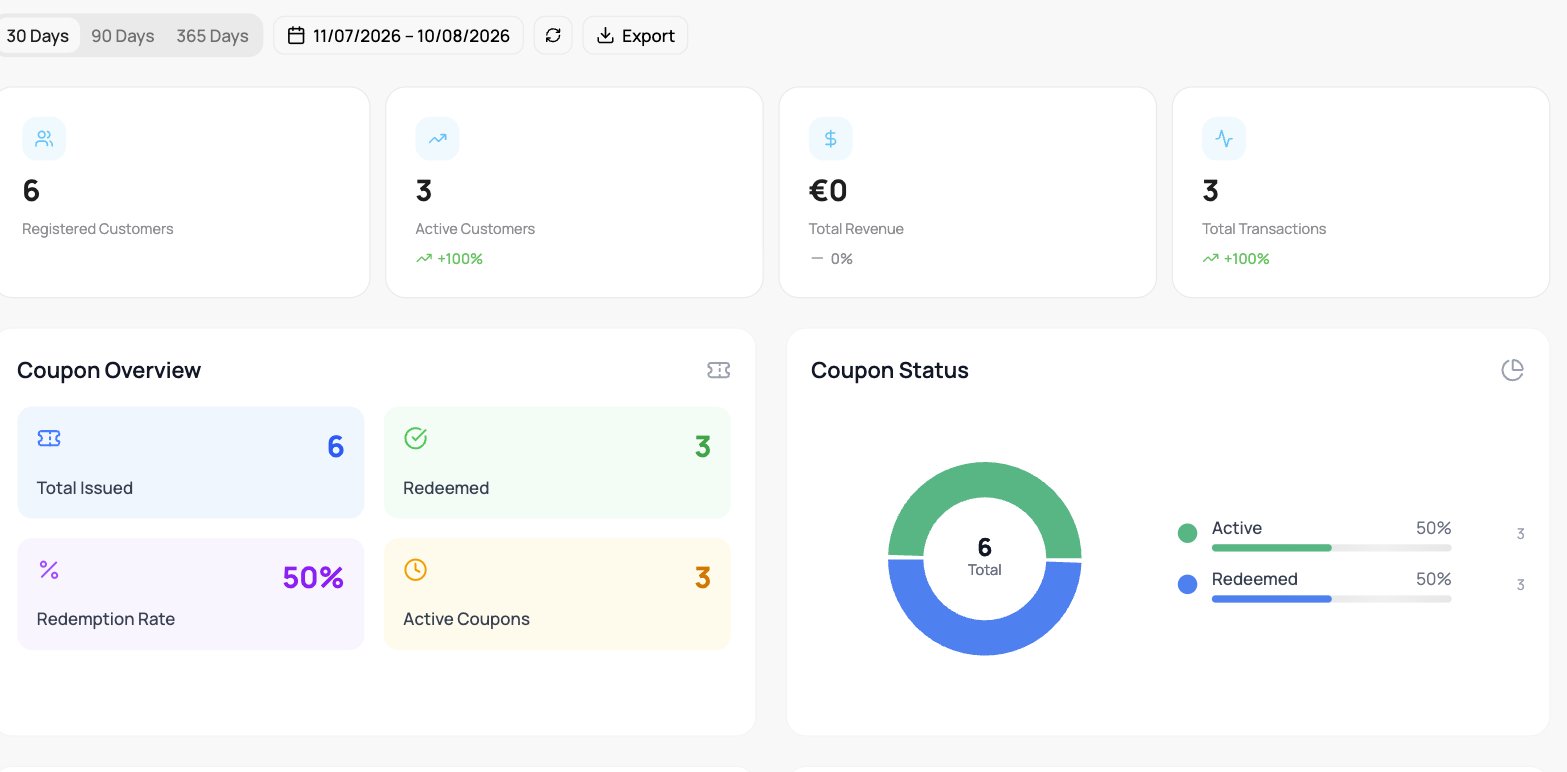
The Analytics tab of a coupon card: summary tiles for Registered Customers, Active Customers, Total Revenue, and Total Transactions, then a Coupon Overview panel with Total Issued, Redeemed, Redemption Rate, and Active Coupons, next to a Coupon Status donut splitting Active and Redeemed.

Coupon analytics

Coupon Overview & Status

Total Issued, Redeemed, the Redemption Rate, and Active Coupons, with a status breakdown of how many have been redeemed.

Redemption Trend & Time to Redeem

  • Redemption Trend plots redemptions and the cumulative total over time.
  • Time to Redeem shows the average, fastest, and slowest days to redeem, plus a distribution (same day, within a week, one to two weeks, within a month, over a month).

Customer Segments

How the coupon reaches customers: a breakdown By Device and First-time vs Repeat customers.

Savings Impact

The value delivered: Total Savings, Average per Redemption, Transaction Value, and Redemption Count.

Coupon Health

An overall Health Score with the Active Rate, Redemption Velocity (per week), coupons At Risk, and Total Active.