

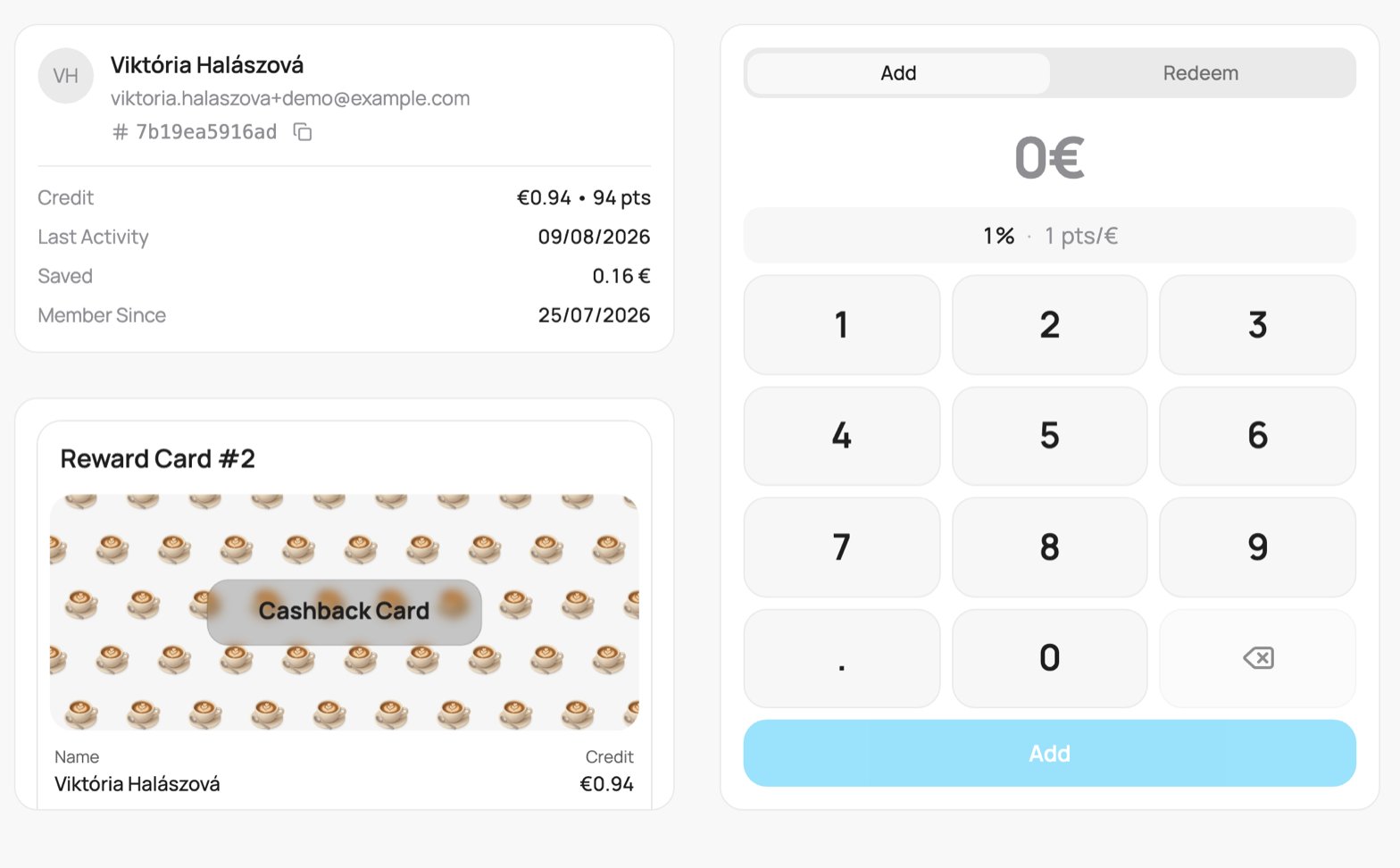
A cashback card on the scanner (Add tab)
Both tabs use your currency. On Add you type the bill, and the scanner works out the credit. On Redeem you type the amount of credit to use.
1
Add a purchase
On Add, type the bill amount on the keypad. The scanner works out the credit from your cashback rate. Tap Add. The customer gets the credit and a message, for example ”⭐ +€1.73 from a €34.50 purchase • Credit: €9.73”.
2
Redeem credit
On Redeem, type the amount of credit to use (the field starts at “0,00 €”). The panel shows Available: how much credit the customer has, for example “Available: €8.00”. To use everything, tap Use all. Tap Redeem. The customer gets a message, for example ”✅ €2.50 of credit used • Credit: €5.50”.
Every add or redeem updates the customer’s wallet pass and sends them a push notification. See the customer’s wallet pass for all the default messages.
Cards paid at a till (Dotykačka, Storyous, Papaya, OBERON) can show a small points count next to the credit, for example ”· 160 points”. The credit is the main number. If points buy products instead of cash, see Product reward cards.