

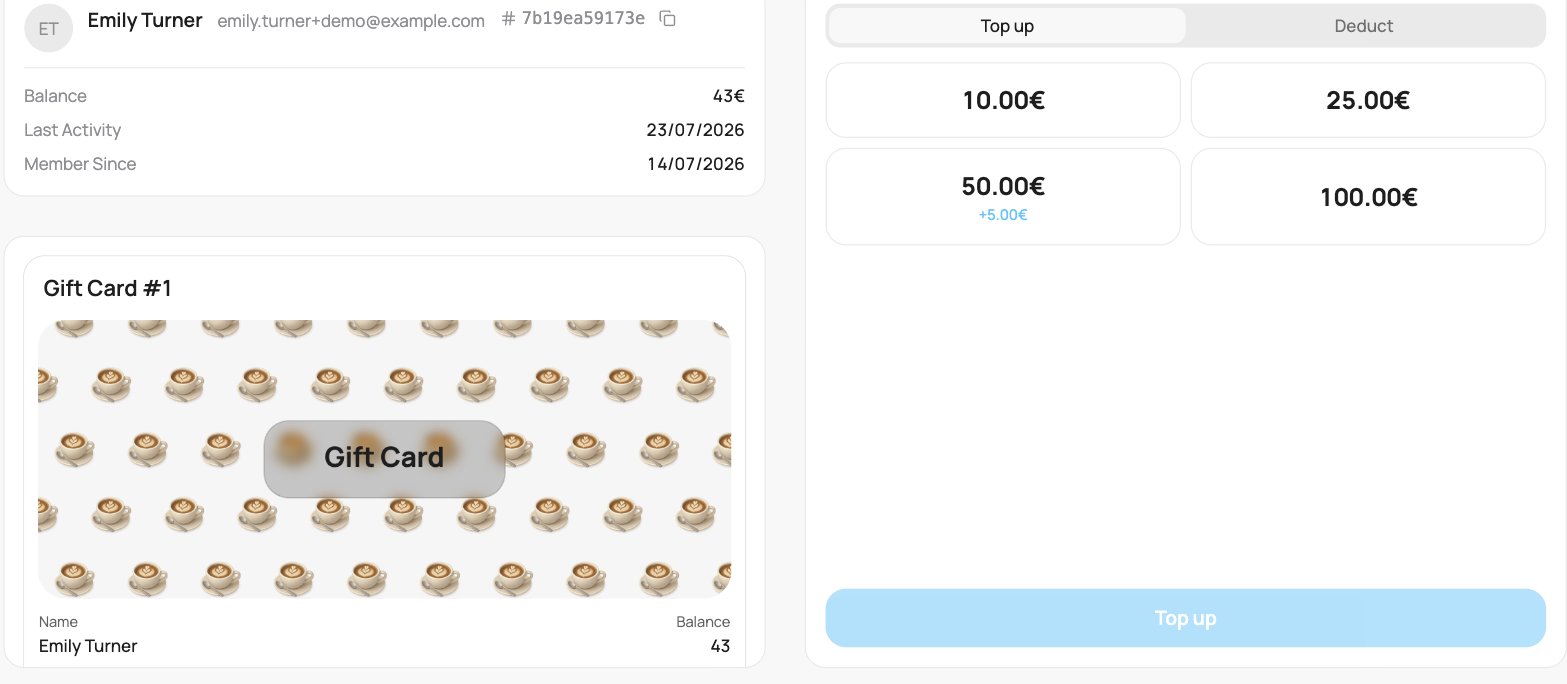
A gift card on the scanner (Top up)
Top up
Loading a balance uses preset amounts only, which you set up on the gift card. Tap the amount the customer is paying (for example 50.00€), then tap Top up to load it.There is no free keypad on top-up on purpose: only your preset amounts can be loaded, so a mistap can never load the wrong sum. If a preset includes a bonus (for example “+5.00€”), it is shown on the chip, and the whole value is credited.
Deduct
To take a payment off the balance, open Deduct, type the amount on the keypad, and confirm. You cannot deduct more than the remaining balance. It shows in the Activity as Gift card redeemed. When a balance is locked after a dispute or a refund, the locked money is taken off the card, so it cannot be spent. See Disputes and refunds.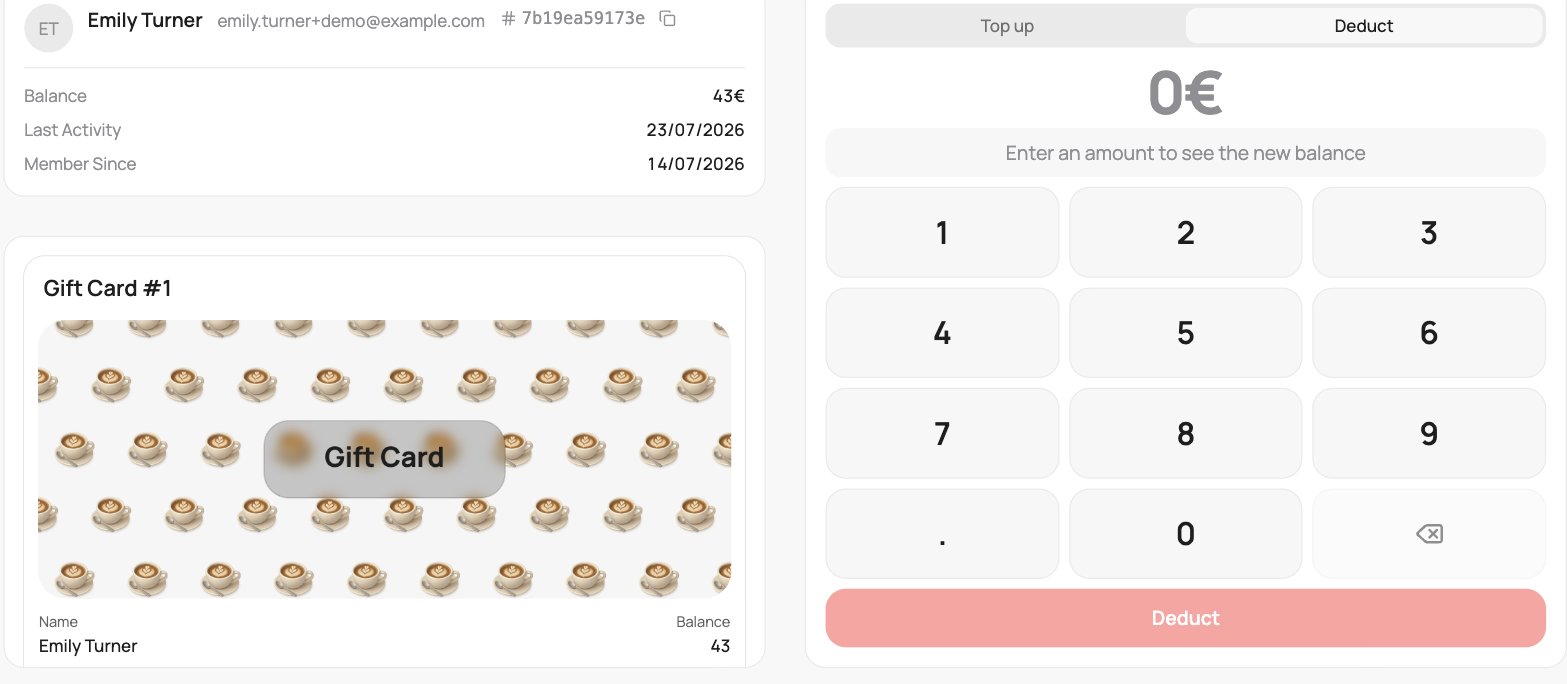
A gift card on the scanner (Deduct)