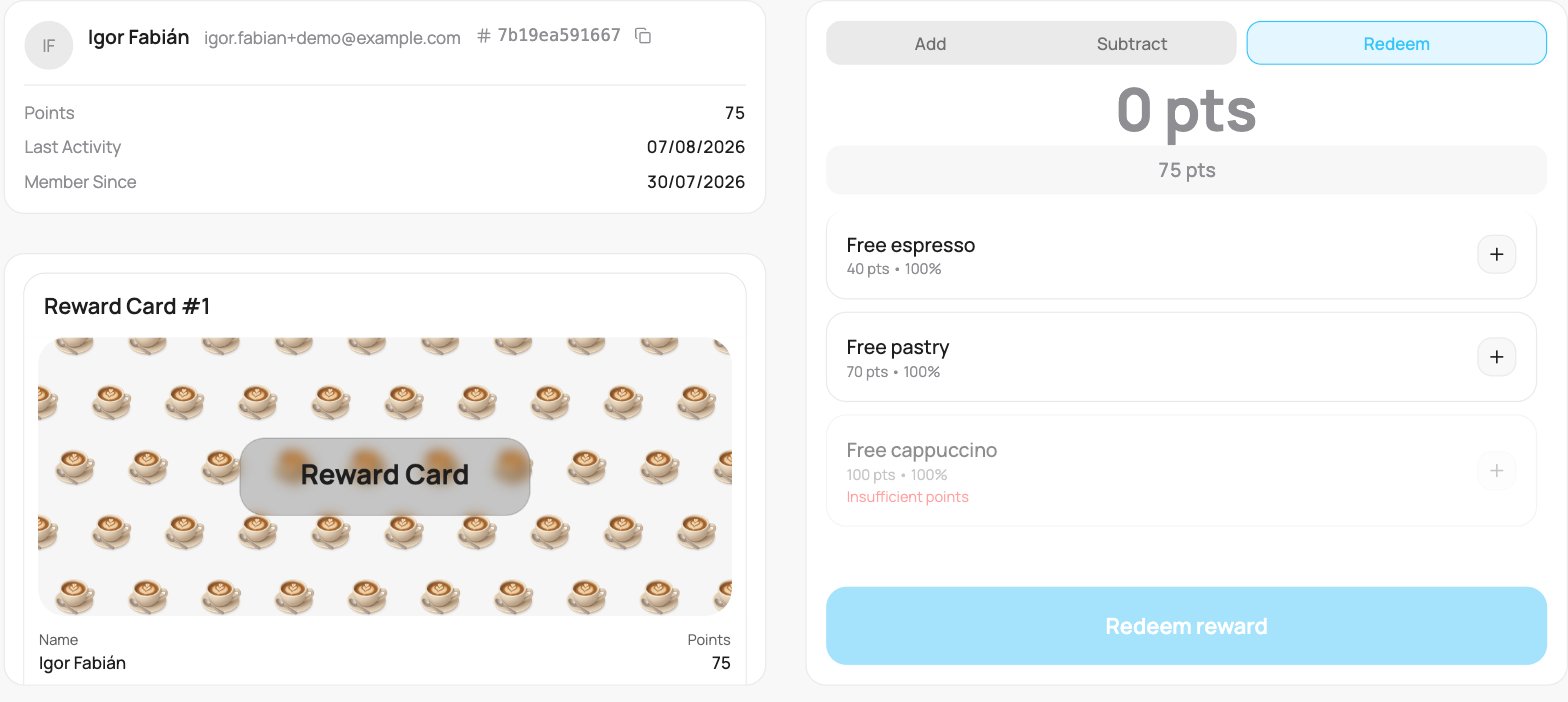
On a product reward card, points are redeemed for the rewards you set up on the card (a free coffee, a discount, and so on), rather than cash back. Left panel: the customer’s points balance, shown as a coloured tile on phones and as the top row on desktop. With it: Last visit and Member since. Desktop and landscape tablets also show a card preview. The right panel has Add and Subtract tabs, plus a separate Redeem button.
On Add and Subtract you type the purchase amount in euros (what the customer spent), and the app converts it to points at your earn rate. On Redeem you do not type a number at all, you pick the rewards from a list. So the keypad is always euros; points are only ever chosen, never typed.
A reward card on the scanner with the Redeem tab open: the customer's points balance, a card preview, and a list of rewards (Free espresso 40 pts, Free pastry 70 pts, Free cappuccino 100 pts) each with a plus stepper; a reward the customer cannot yet afford shows Insufficient points, above a Redeem reward button.

A product reward card on the scanner

Add or subtract points

  • Add: type the purchase amount in euros on the keypad. The customer earns points at your earn rate, shown above the keypad. Tap Add.
  • Subtract: type a euro amount to remove the matching points, for a correction.

Redeem rewards

Open Redeem to see the list of rewards on the card, each with its point cost (and its value). Use the + and - buttons to pick how many of each the customer wants, there is no number to type here. The panel keeps a running total of points and shows the balance left after redeeming. Rewards the customer cannot afford are greyed out. Tap Redeem to hand them over.
If your reward card gives cashback (points converting to money) rather than products, see Cashback cards on the scanner.