When you scan a membership card, the scanner checks the membership status and shows the right action: activate/renew it if it is not currently valid, or record an entry if it is. Left panel: the membership status (a coloured tile on phones, the top row on desktop; the cashier’s key glance: can this person enter?). For an active membership, with it: Valid until and Remaining days. On a phone that is all you see; desktop and landscape tablets also show Entries today (used / limit, if a daily limit is set), Total entries, and a card preview.

Activating or renewing

If the membership is not active yet, expired, or new, the panel shows the Activate (or Renew, if it lapsed) flow:
  1. Pick a membership duration (one of the plans on the card, each with its price).
  2. Confirm. You can also include the first entry at the same time, so activating and checking the member in is one step.
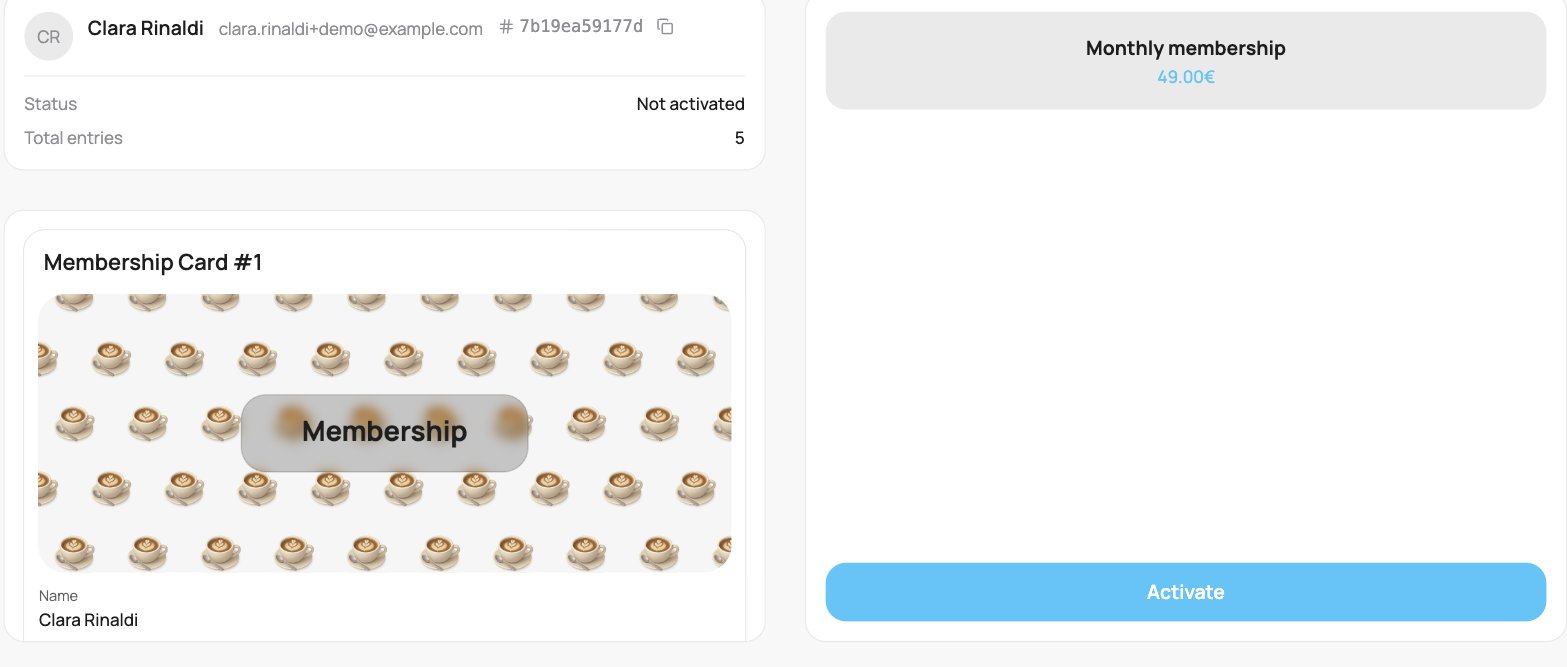
A not-yet-activated membership on the scanner: the left panel shows a Not activated status, and the right panel lists the available membership duration (Monthly membership, 49.00€) with an Activate button below.

Activating a membership on the scanner

Recording an entry

If the membership is active, the panel shows Record entry. Tap it to check the member in.
  • If the card has a daily entry limit, the panel shows how many entries have been used today (for example “2 / 3”).
  • If the member cannot enter right now, for example they have hit the daily limit, or the card is restricted to certain days or times, the button is disabled and the reason is shown.
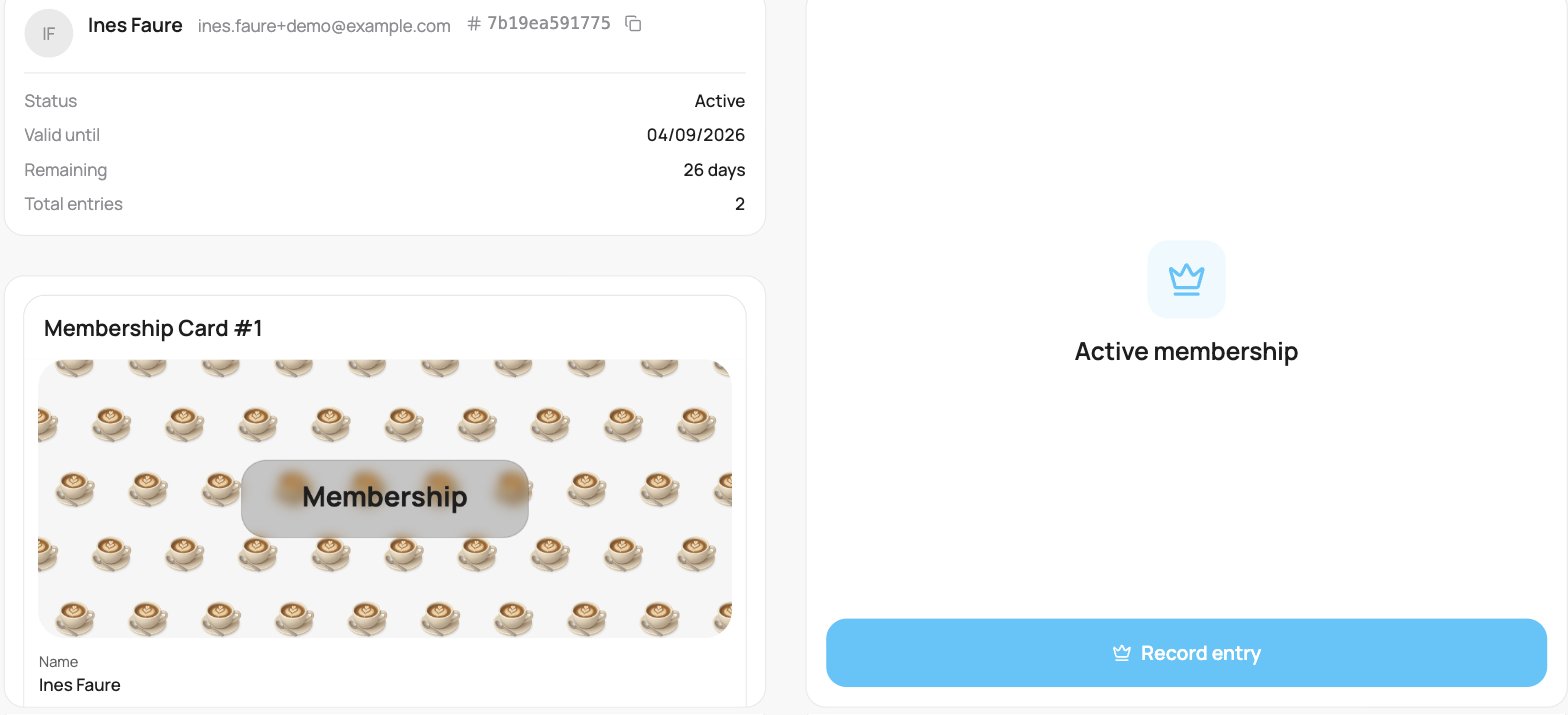
An active membership on the scanner: the left panel shows an Active status, Valid until date, days Remaining, and Total entries, and the right panel shows an Active membership badge with a Record entry button.

Recording a membership entry

Recording an entry can be undone from the toast that appears, in case you check the wrong person in.